.svg "Gorilla ROI")
Review Summary
Supermetrics vs Gorilla ROI isn't apples to apples. Supermetrics is a multi-channel marketing data connector built for agencies and analytics teams. It connects 170+ platforms on a query-on-demand architecture.
✅ Gorilla ROI is a narrower Supermetrics alternative for ecommerce teams that need deep data sets for Amazon, Shopify, and Walmart data in Google Sheets.
✅ In our two-month test, larger Amazon account took 10 to 15 minutes to load for Supermetrics, and timed out enough that we decided not to move forward with more testing.
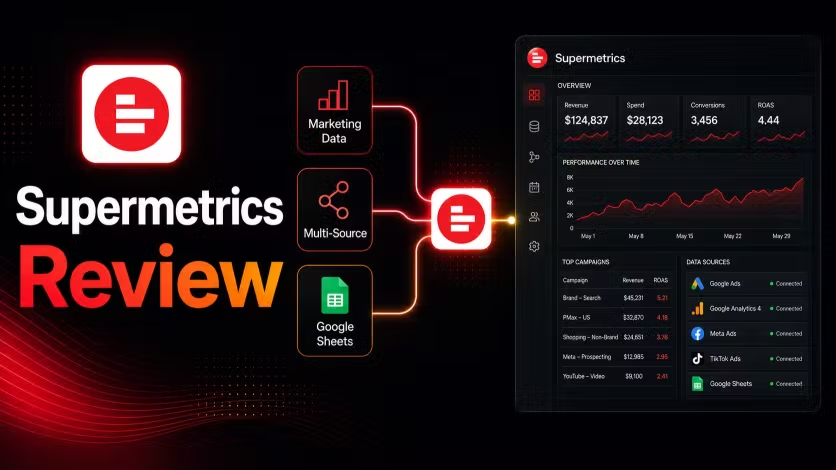
This Supermetrics review covers some aspects that the pricing page doesn't tell you. The real cost, the complaints that repeat across hundreds of reviews, and whether it is worth committing to a paid plan.
Short version: We tested Supermetrics for two months and Supermetrics is a great, powerful tool. But it now focuses on enterprise customers for continued growth. This creates pricing issues for small businesses.
What Supermetrics Is
Supermetrics is a data pipeline tool. It connects to a lot of marketing and business platforms and moves that data into destinations like Google Sheets, Looker Studio, BigQuery, Excel, and Snowflake.
It does not store your data. It does not build dashboards or reports. That is your job in a separate tool. Supermetrics handles the movement and scheduling.
If you go in understanding that, the tool makes a lot of sense for the right team.
How Supermetrics Works
Connect your sources, choose a destination, configure queries, and set a refresh schedule. Supermetrics fetches from the source API and delivers to your destination on whatever cadence your plan allows.
When something stops working, the issue is usually a query configuration or an API change on the source side. You check Supermetrics first, then the destination tool. That two-step troubleshooting is just how the category works.
Pricing
Monthly or annual billing is offered with annual pricing giving a 20% discount. Pricing is per destination where you select one core destination such as Google Sheets, Looker Studio, BigQuery, or the newer AI destinations including ChatGPT and Claude.
Starter includes weekly data refreshes and 3 accounts per data source. Growth includes daily refreshes and 7 accounts per data source. Both plans include 1 core destination. A second destination requires a second subscription at full plan price.
We paid for the starter to test out the waters and frankly, it was a miserable experience for our use case. Weekly data refreshes is for data sources that you don't need to check often.
What You Actually Pay
The add-on structure is where most buyers get surprised.
A realistic scenario: Google Ads, Meta, and GA4 feeding into both Google Sheets and Looker Studio across 10 client accounts. That is the Growth plan at $177 annually, plus a second full destination subscription, plus account slots per source. You are now at around $400 before gettting started.
Supermetrics has restructured pricing several times since 2022 and as their business grows and they go up market, it's understandable. So to know what you are getting, map out every source, destination, and account you need.
Query Limits on Large Accounts
This does not appear on the pricing page and is worth knowing before you commit.
Large queries with many metrics, long date ranges, and multiple accounts can hit Google Apps Script execution limits inside Google Sheets. Supermetrics' own documentation acknowledges this and recommends using shorter date ranges, fewer metrics, or splitting large queries into smaller ones.
For a marketing analyst running a controlled monthly report, that workaround is manageable. For a team pulling operational data daily across a large catalog, it adds a layer of query management that was not in the original plan.
We tested on our Amazon seller account with around 50 SKUs and average 200 daily orders. Larger pulls took 10-15 minutes. MANY queries timed out and needed to be rerun as it couldn't handle the data updates. Since we were testing the starter plan, the refreshes were also weekly which means every 7 days, the orders would accumulate to 1400 rows and 20 columns.
For us it was only 28,000 total cells, but unfortunately, Supermetrics couldn't handle this. On the flip side, using Gorilla ROI, we can refresh this data any time, and it will load in less than 10 seconds.
Such a vast difference in terms of performance as we focus on speed, simplicity and reliability.
Over two months, as data accumulated, the lag grew and our Google Sheet constantly crashed and timed out.
We cancelled not because the tool was broken, but because it was wasn't usable for ecommerce sellers requiring heavy data sets and updates.
What Users Say
Here's what you can find on Trustpilot and G2 about Supermetrics.
G2 and Trustpilot paint different pictures of the same product and both are worth understanding before you decide.
G2 users on active plans rate it 4.4/5 across 821+ reviews. The praise is consistent: wide connector coverage, reliable scheduling when queries are sized right, and solid Google Sheets integration for marketing reporting teams.
Trustpilot skews toward users who had a problem significant enough to write about. The recurring themes there:
Pricing changes on existing customers. One user who had been a customer since 2019 declined a 3x renewal increase and asked to stay on their existing plan. Supermetrics gave a 2-month deadline to upgrade. When they did not, the license was deactivated with no compromise offered.
Billing after cancellation. Several users report being charged for a full year after cancelling. The recommendation from multiple reviewers: get written confirmation that your account is fully closed before assuming payments stop.
Support response times. Complaints cluster around slow ticket resolution, particularly on lower-tier plans. G2 reviewers on higher tiers rate support more favorably.
The split between G2 and Trustpilot is fairly common as G2 captures satisfied active users while Trustpilot captures people motivated enough to write a review after a bad experience. Read both before deciding.
Pros and Cons
Pros
- 100+ connectors with the widest source library in the category
- Works with Google Sheets, Looker Studio, Excel, BigQuery, and Snowflake
- Reliable scheduling when queries are sized correctly for your account volume
- AI Agents and natural language querying now available on all plans
- Data API included on all plans with no additional charge
- Large community and documentation library built over 10+ years
Cons
- Per-destination pricing means a second destination requires a second full subscription
- Add-on pricing for users, sources, and accounts compounds quickly for real-world agency setups
- No built-in visualization so a separate reporting tool is required
- Large queries require active management to avoid timeout issues on high-volume accounts
- Support quality is closely tied to plan tier with lower tiers reporting slower resolution
- Pricing restructures have affected existing customers mid-contract in multiple documented cases
Who Should Use Supermetrics
Supermetrics is a strong fit if your core job is marketing reporting across Google Ads, Meta, LinkedIn, TikTok, and GA4, if you already have a BI or visualization tool and just need a reliable data feed, if you work with BigQuery or Snowflake and need pipeline infrastructure, or if you are an agency managing client reporting across many platforms with a technical team comfortable handling query configuration.
Who Should Not Use Supermetrics
Supermetrics is not the right fit if your primary need is ecommerce operations data rather than marketing reporting. If you need to make daily decisions and a single days worth of data makes a big impact on your business like potentially going out of stock or finance related, it's not the best.
Also, not the best use case for a small team that wants one tool to handle both data and reporting, or if you want predictable costs without destination-based add-on math, or if you need data refreshing and usable without active query management on large accounts.
Alternatives
For a full breakdown, see our Supermetrics alternatives guide.
Final Supermetrics Review Score
Supermetrics is a genuinely good product for marketing and analytics teams that need broad data coverage. They are the original. The connector library is the widest in the category and for agencies and data teams already working in Looker Studio, BigQuery, or Snowflake, it is hard to replace on source coverage alone.
Definitely suited for marketing focused data connections. Does not work well with ecommerce businesses and daily operational type use cases.
Common Questions
Is there a free version of Supermetrics?
No. A 14-day free trial with full access is available. After that, a paid plan is required.
What happens if I cancel?
Several users report being charged for the full annual term after cancelling. Get written confirmation that your account is fully closed before assuming payments stop.
What happens if I exceed plan limits?
You will be prompted to upgrade or purchase add-ons. Map out your full usage before signing to avoid unexpected charges at renewal.
Is Supermetrics worth it for small businesses?
At 2-3 sources and one destination, the Starter plan at $44 annually can work. Add a second destination or more source accounts and the cost climbs fast. If the tool does not fit your workflow after the first month, the annual commitment means you are still paying through month twelve.
Does Supermetrics support Amazon?
Yes. Amazon is one of 100+ supported sources and works well when Amazon is one channel inside a broader marketing reporting setup rather than the primary operational need.
4.8 Rating · 11k+ Downloads · Trusted by Sellers








More Tested Reviews


.svg "Abstract fluid wave design with soft purple gradient")



Power My Analytics

Jungle Scout vs Gorilla ROI



.avif "Glowing abstract purple shape with psychedelic outline")
Manual Exports Waste Your Team's Time
Replace the Manual Spreadsheet Work and Save 40 Hours a Month